







FREE & FAST Shipping delivery with Tracking Number
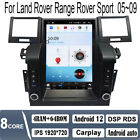
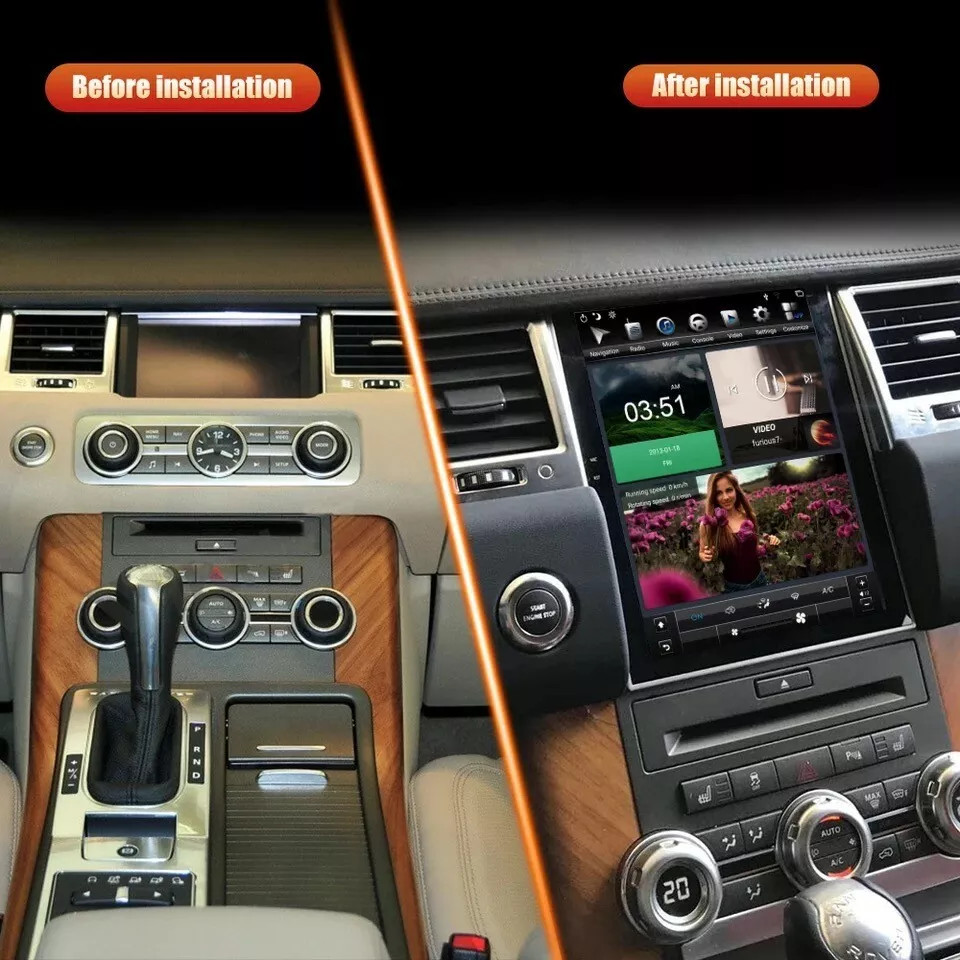
Fit For 2009-2013 Land Rover Range Rover Sport
Updated!
1.Carplay: wired or wireless Carplay in-vehicle system can closely integrate the user's iOS device and iOS experience with the dashboard system. Users who use wireless Carplay can connect to the car system via Bluetooth to realize voice-controlled navigation, make calls, send and receive messages, and listen to music. It is only available for iPhone
Carplay
2.Android auto: wired or wireless Android auto in-vehicle system can closely integrate the user's Android device and Android experience with the dashboard system. Users who use wireless Android auto can connect to the car system via Bluetooth to realize voice-controlled navigation, make calls, send and receive messages, and listen to music. It is only available for Android phone(Android phones need to download android auto APP)Android Auto
3.Wifi connect:Built-in Wifi module, can connect to internet by wifi hot spot, download APP to watch online TV, movie, chat with your firends4.GPS navigation:Built-in navigation module, free navigation map
5.Bluetooth function:Built-in bluetooth module, support bluetooth phone connect, handsfree for calling or bluetooth music play
6.Mirror link function:Android player can mirror link with Android phone by USB cable ,IOS phone link by WIFI (Not fit for All phone)
Mirror link
7.DVR input function:Support USB external driving recorder (DVR) input (Only for DVR with APP), you can control the DVR by the APP8.Rear view function:Support Rear view camera input, backing car more safer and convenient
9.Radio tuning:Support FM tuning, you can listen the radio which is your interested, enjoy the driving time
10.Rear USB port input: Support rear cable USB input, can play music/movie (U-disk not included)
11.Improve sound quality with equalizer, use EQ to adjust the sound to render better results
Specifics
Voltage:DC 12V
Operating system:Android
RAM:6G
ROM:128G
Screen size:12.1'' Capacitive screen
Bluetooth Version:5.0
Bluetooth keyword:0000
Wifi:Support
GPS:Support
camera: support
Radio Band:FM
Resolution:1080P
Factory setting keyword:1234
Audio format:MP3 AAC FLAC APE WMA WAV
Video format:AVI 3GP/MP4 MOV MPG MKV WMV RMVB
Language: Chinese, English, Arabic, Brazilian, Russian, Hebrew, Spanish, Italian, French, Thai, German, Japanese, Korean, Turkish, Czech, Iranian, Hungarian, Dutch, Polish, Swedish, Ukrainian, Romanian, Greek, Danish, Finnish
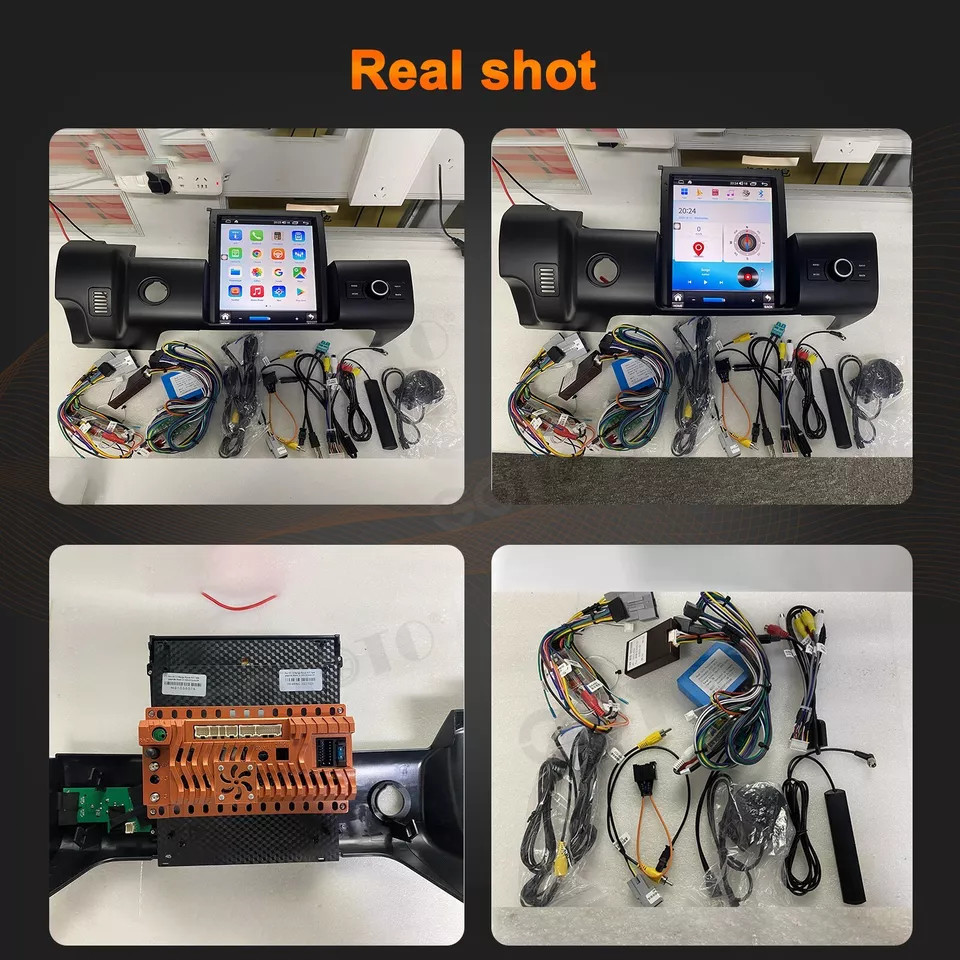
Product included
1 x Android Stereo Radio Player
1 x Power Cable
2 x CANBUS BOX
1 x GPS Antenna
2 x USB Cable
1 x RCA Cable
1 x CAM-IN
1 x Antenna Adapter
1 x accessory
1 x User Manual
Please kindly notes :
If you received any problem items,please contact us before giving any feedback,
we will confirm the problem and reply you ASAP and give a best solution for this,Please don't worry we are responsible for any possible issues.
It's our responsibility to solve the problem until you satisfied.
Payment
Return
Shipping
About us
|
Our Duty Time |
||||||
|
China Time |
USA(pacific time) |
|||||
|
|
Start | End |
|
Start |
|
End |
| Monday | AM 9:00 | PM 18:00 | Sunday | PM 17:00 | Monday | AM 2:00 |
|
Tuesday |
AM 9:00 | PM 18:00 | Monday | PM 17:00 |
Tuesday |
AM 2:00 |
|
Wednesday |
AM 9:00 | PM 18:00 |
Tuesday |
PM 17:00 |
Wednesday |
AM 2:00 |
|
Thursday |
AM 9:00 | PM 18:00 |
Wednesday |
PM 17:00 |
Thursday |
AM 2:00 |
|
Friday |
AM 9:00 | PM 18:00 |
Thursday |
PM 17:00 |
Friday |
AM 2:00 |
|
Saturday |
Out of Duty |
Friday |
|
Saturday |
|
|
|
Sunday |
Out of Duty |
Saturday |
|
Sunday |
|
|
Tips:
1.Why can't turn on the car radio ?
1.1Please check the Voltage of car radio:12V
1.2When you test this car radio,you can combine the red and yellow wires and connect them to the positive side of the power supply.Black line to negative power supply.
1.3Replace the same type of insurance to test the car radio.
Note: Please must use our power cables to connect our car radio,it is not possible to insert the original car plug directly into our machine.
2.Why the car radio will show "No Signal" when we reversing?
2.1Please check if the camera's line is properly connected to the car radio.
Note:The video port of rear camera must insert the "CAMIN" port of car radio.
2.2 Please check whether the pink wire is connected to the line on the positive 12V? If not, there will be a light on but the display does not appear reverse image.
3.Why does the radio not turn off after turning off the engine and keep consuming power?
Check if the red ACC power cable and canbus are not disconnected? Otherwise it will keep powering up
4.Why can't search FM?
4.1: No radio antenna inserted;
4.2: Please check if the radio antenna is plugged in. Please insert more antennas several times to make it well contacted;
4.3: The signal of your location is not good. Please go to a better place to test again
4.4: The radio antenna on the car is broken/no effect; please replace the radio antenna and test again.
5.Why can't connect the Bluetooth of car radio?
5.1 Open the phone settings interface, open the Bluetooth in the Bluetooth function, search for Bluetooth devices, find the player's Bluetooth model to be paired; if you need a pairing code, enter 0000; if not, try 1234 or 123456.
5.2 Please try to use another mobile phone to test this function.
All methods are correct and still cannot use Bluetooth, Please unplug the plug on the back of the player and plug it in after 3 minutes.