




DESCRIPTION

Laptop Memory Tester DDR4/DDR5 2-In-1 Memory Tester with Light4818

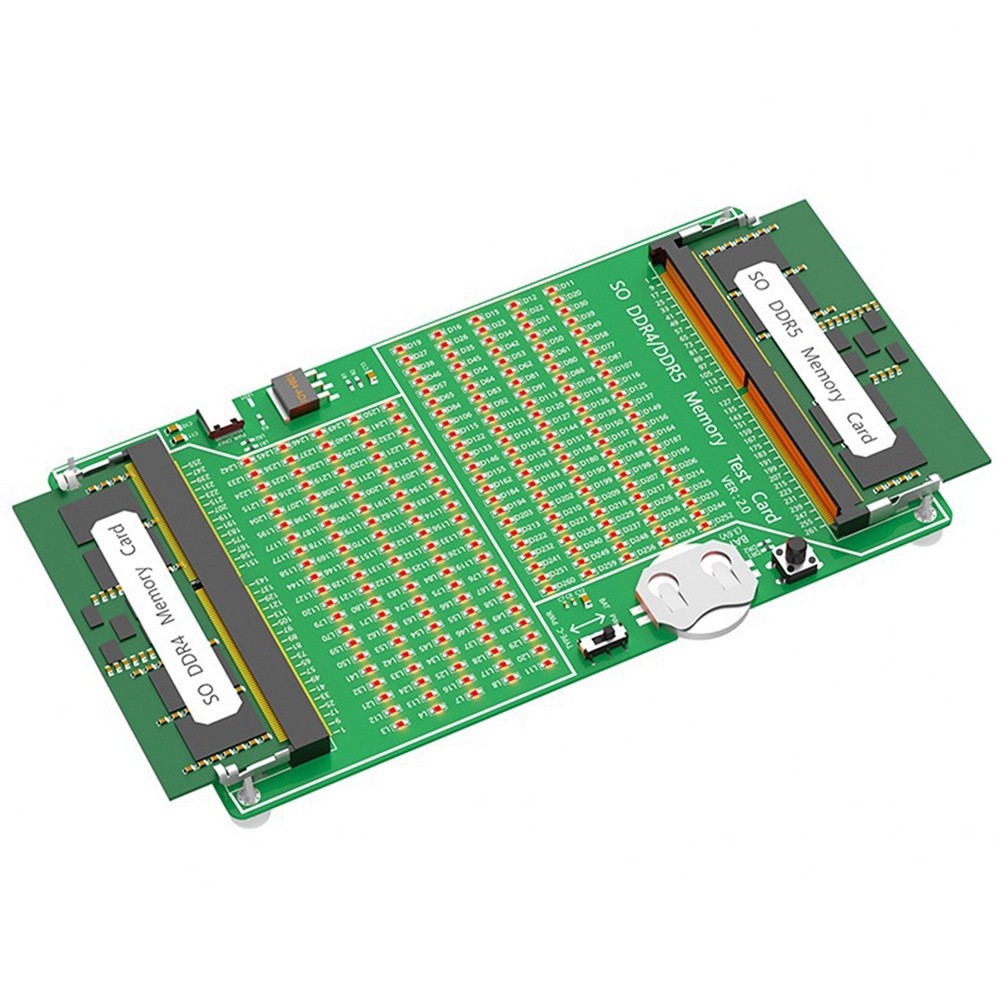
Laptop DDR4/5 Multi-Function Memory Tester, Test Memory Circuit Board, Short Circuit, Exclusion, Gold Finger Quality
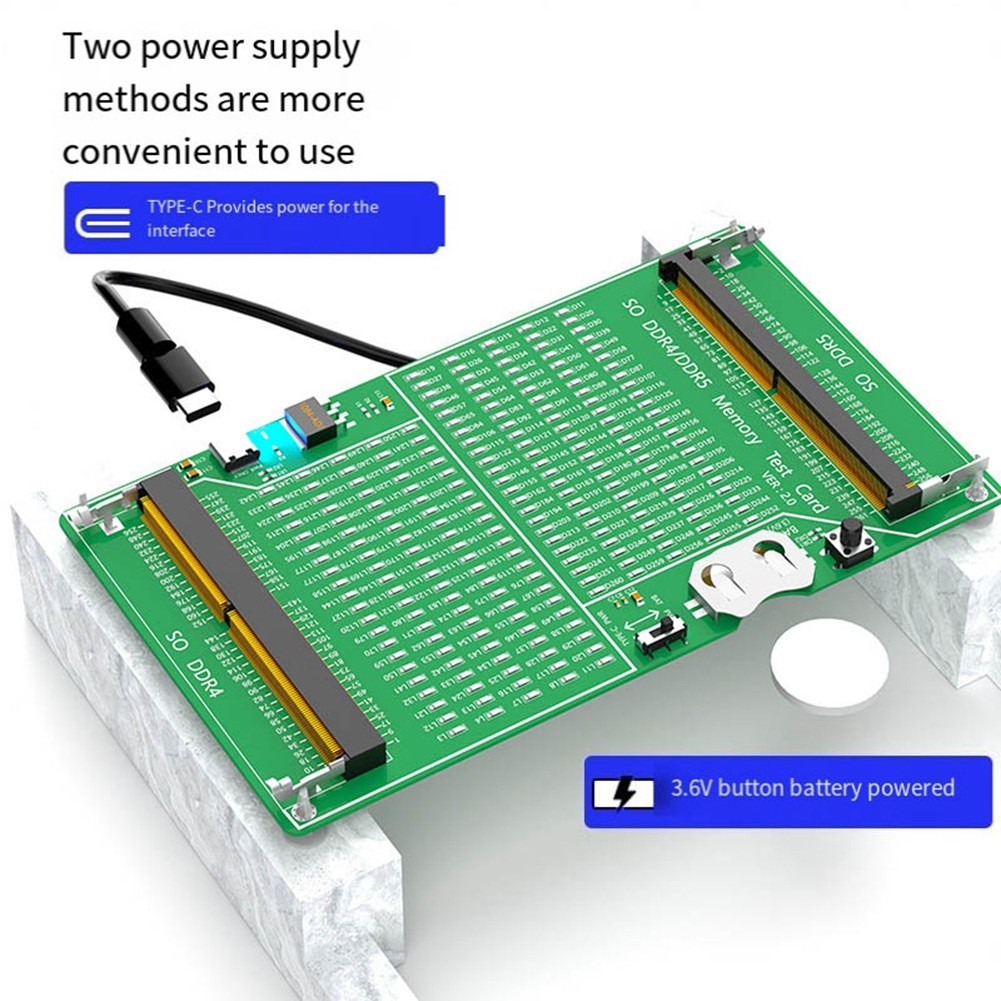
Two Power Supply Methods, More Convenient To Use, Type-C Interface Power Supply, 3.6V Button Battery Power Supply
For Troubleshooting, The Test Switch. If All The Indicators Are On And The Brightness Is Consistent, It Means There Is No Fault In The Hardware Of The Memory Module.
If The Indicator Light Flashes, It Means The Gold Finger Has Poor Contact. If The Indicator Light Does Not Light Up, It Means There Is An Open Circuit Fault. Check Whether The Gold Finger Is Dirty, The Resistor Is Damaged Or The Circuit Is Open. According To The Pin Number Of The Indicator Light, Use A Multimeter To Find The Fault Point.If One Or More Indicator Lights Are Particularly Bright, It Indicates A Short Circuit Fault.
Notebook Ddr4/Ddr5 Memory Test Steps:1. Take Out The Cr2032 Button Battery From The Accessory Bag And Install It Horizontally On The Button Battery Holder Of The Test Card. Pay Attention To The Silk Screen Side Of The Battery Facing Up (Must Not Install It Backwards)
2. According To The Specifications And Models Of The Memory Module (The Position Of The U-Shaped In The Middle Of The Gold Finger Of Ddr4/Ddr5 Is Different), Insert The Memory Module At An Angle Of 45 Degrees Into The Black Slot, Insert It All The Way And Down So That The Silver Metal Ear Buckle Blocks The Memory. Strip
3. Select The Voltage Switch Position, One Side Is Powered By Cr2032 Button Battery, And The Other Side Is Powered By Type-C External Power Supply (Need To Connect Type-C Data Cable)
4. Then And Hold The Black Button (Test Sw) On The Test Card. If The Memory Module Is A Good Product, The Led Lights On The Test Card All Light Up. If The Memory Module Is A Defective Product, The Corresponding Led Not Ligh
Two Power Supply Methods, More Convenient To Use, Type-C Interface Power Supply, 3.6V Button Battery Power Supply
For Troubleshooting, The Test Switch. If All The Indicators Are On And The Brightness Is Consistent, It Means There Is No Fault In The Hardware Of The Memory Module.
If The Indicator Light Flashes, It Means The Gold Finger Has Poor Contact. If The Indicator Light Does Not Light Up, It Means There Is An Open Circuit Fault. Check Whether The Gold Finger Is Dirty, The Resistor Is Damaged Or The Circuit Is Open. According To The Pin Number Of The Indicator Light, Use A Multimeter To Find The Fault Point.If One Or More Indicator Lights Are Particularly Bright, It Indicates A Short Circuit Fault.
Notebook Ddr4/Ddr5 Memory Test Steps:1. Take Out The Cr2032 Button Battery From The Accessory Bag And Install It Horizontally On The Button Battery Holder Of The Test Card. Pay Attention To The Silk Screen Side Of The Battery Facing Up (Must Not Install It Backwards)
2. According To The Specifications And Models Of The Memory Module (The Position Of The U-Shaped In The Middle Of The Gold Finger Of Ddr4/Ddr5 Is Different), Insert The Memory Module At An Angle Of 45 Degrees Into The Black Slot, Insert It All The Way And Down So That The Silver Metal Ear Buckle Blocks The Memory. Strip
3. Select The Voltage Switch Position, One Side Is Powered By Cr2032 Button Battery, And The Other Side Is Powered By Type-C External Power Supply (Need To Connect Type-C Data Cable)
4. Then And Hold The Black Button (Test Sw) On The Test Card. If The Memory Module Is A Good Product, The Led Lights On The Test Card All Light Up. If The Memory Module Is A Defective Product, The Corresponding Led Not Ligh