











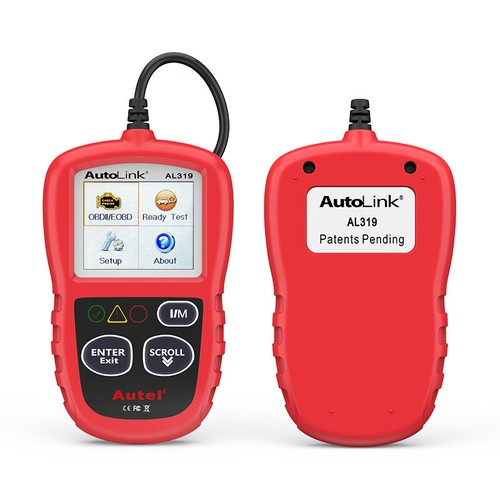


Autel AutoLink AL319 Auto Diagnostic Scan Tool/Code Reader Turn off MIL/Patented One-Click I/M Readiness Key/Reset Monitors etc.
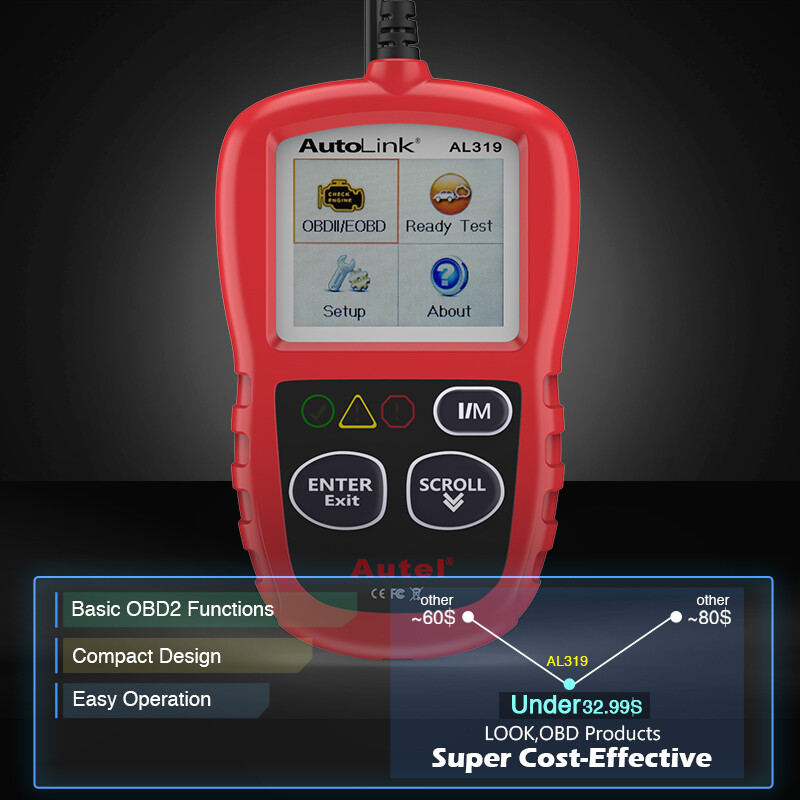
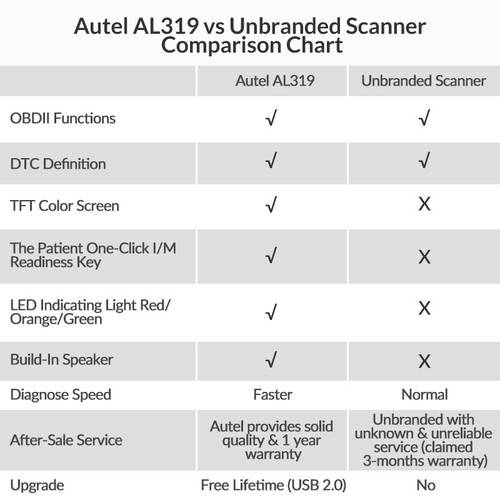
Featuring the unique patented One-Click I/M Readiness Key, TFT color display and built-in speaker, the AutoLink AL319 is truly the ultimate in ease and affordability, enabling users to verify repairs, road test, check State Emission Monitor Status and solve basic engine and driveability problems. It eliminates drive cycle guesswork by notifying the driver with color codes LEDs, audible tone and dynamic all-in-one I/M readiness status.

Product Features
Works on most 1996 and newer vehicles (OBD II & CAN)-domestic and import
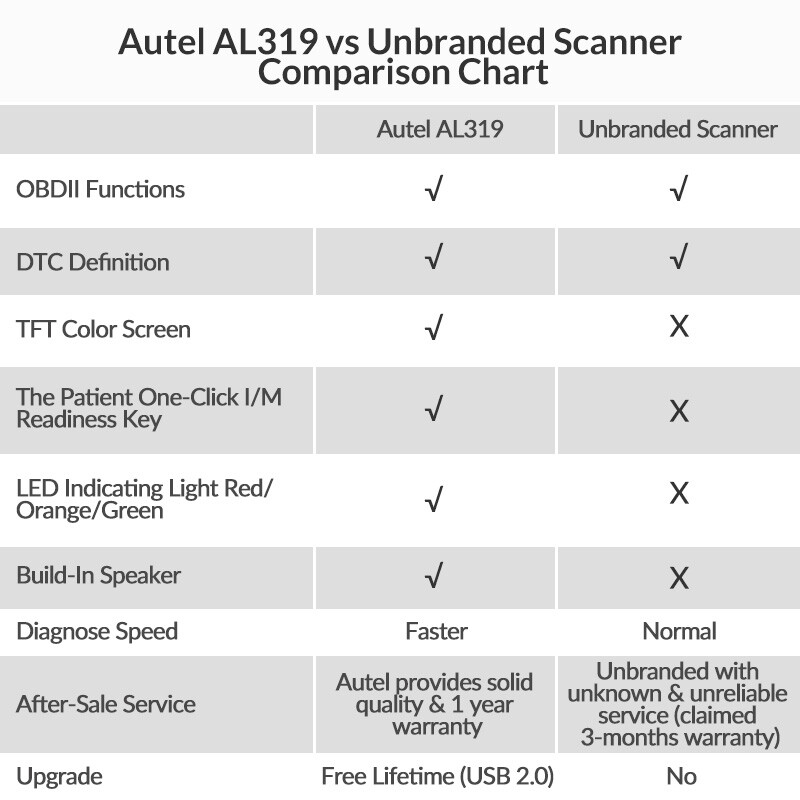
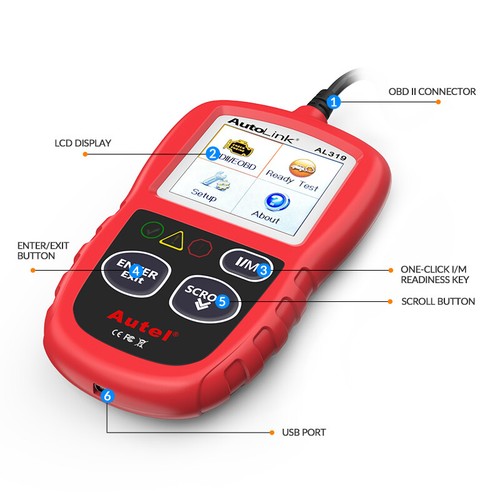
Features the unique patented One-Click I/M Readiness Key for quick State Emissions readiness check and drive cycle verification
Bright color coded LEDs and built in speaker provide both visual and audible indication for readiness verification
Retrieves generic (P0, P2, P3, and U0), manufacturer specific (P1, P3, and U1) codes, and pending codes
Easily determines the cause of the Malfunction Indicator Light( MIL)
Turns off Malfunction Indicator Light (MIL), clears codes and resets monitors
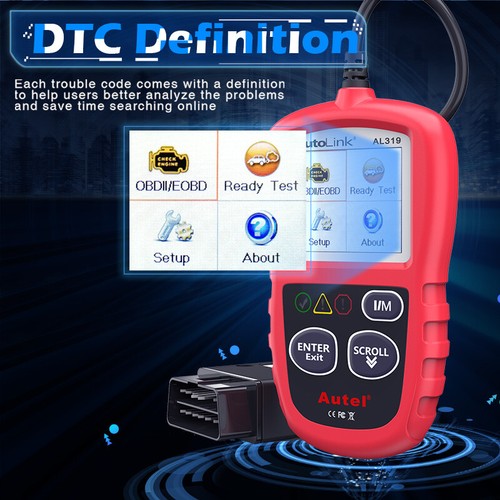
Displays DTC definitions on the TFT color screen
Views freeze frame data
Displays monitor and I/M readiness status (emissions)
Reads live PCM datastream
Retrieves vehicle information(VIN, CIN and CVN)
Multilingual menu and DTC definitions- English, Spanish and French, etc
Extremely easy to use and highly reliable
Internet updateable

Basic OBD2 Functions
1. One-click I/M Readiness
By pressing the one-click I/M readiness key, you can easily retrieve readiness status of each monitor. You can quickly figure out whether your vehicle is ready for an emission test.
2. Turn off the Check Engine Light (MIL)
The stored fault codes which indicate the fault have reoccurred for more than a special amount of key-cycle will cause the Check Engine light on. However, you can turn it off by clearing the fault codes.
3. Reading codes
Show the detailed description of the current Diagnostic Trouble Code (DTC); Retrieve generic (P0, P2, P3, and U0), manufacturer specific (P1, P3, and U1) codes and pending codes.
4. Read Vehicle Information
Display the information such as VIN (Vehicle Identification Number), CID (Calibration ID) and CVN (Calibration verification number), etc.

| Display | TFT color display (220 x 176 dpi) |
| Operating Temperature | 0 to 60°C (32 to 140 F°) |
| Storage Temperature | -20 to 70°C (-4 to 158 F°) |
| External Power | 8.0 to 18.0 V power provided via vehicle battery |
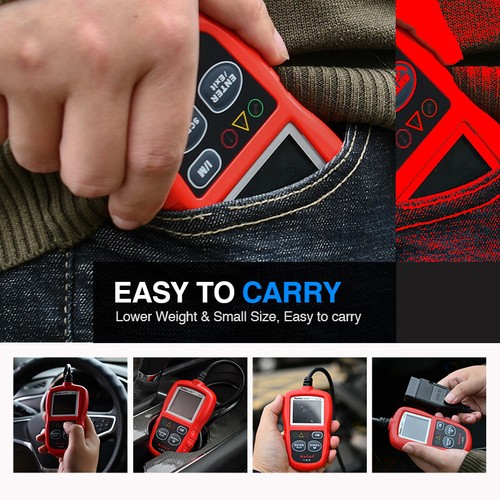
| Length\Width\Height | 117 mm (4.61”) \72 mm (2.83”)\18 mm (0.71”) |
| Weight | 0.18kg (0.39lb, without wire) or 0.21 kg (0.46lb, with wire) |

We accept all common forms of payment such as Credit cards、Debit card、Google Pay ect.
Please contact us if you need to use another method to pay.
Payment should be made within 7 days after bidding ends.
Otherwise a Unpaid Item case will be opened to you.
We are not responsible for buyers’ local taxes.
Please include your special requests in eBay note if there is any.
Shipping:
Most orders placed by 1PM eastern time, Monday thru Friday will be shipped within 1 business day after payment confirmed. All orders placed over the weekend will be shipped on Monday.
We have warehouse in USA, UK, HongKong, Australia, Russian, Germany and China warehouse.
Notice: For USA Buyer, we have warehouse located in Kentucky, Los Angeles & New Jersey etc. (East Side & West Side of USA), parcel will be shipped from the nearest warehouse according to buyers' eBay address in the paid ORDER.
1. From our US/DE/UK/AU warehouse via UPS / DHL or other eCommerce shipping.
Delivery time varies from 2 to 6 business days.
2. From our Hong Kong warehouse via UPS / DHL / FedEx Ground etc.
Delivery time varies from 3 to 7 business days.
3. From our China warehouse
For US buyers, we use e-Packet (Delivery time is 5-12 business days) or express delivery(Delivery time is 3-7 business days) .
For other countries' buyers, we use China Post or Hong Kong Post (Delivery time varies from 10 to 25 business days) or Express delivery (Delivery time is 3-7 business days).
We will ship according to buyers' eBay address in the paid ORDER. Please make sure it is correct and including phone number for delivery.
If you do not receive your order in the estimated time, please contact us, we would do our best to serve you solve the problem.
Please include your special requests in eBay note if there is any.
We are authorized distributor, our all items are 100% original and all our products have warranty,
12 months free repair for the main devices.
3 months for the accessories.
Please contact us firstly when you need warranty service.
In case an item arrives faulty, please contact us in 30 days and keep it unused.
We will instruct you on how to return and get refund or replacement.
If after 30 days, or the item has been used, we have the rights to decline your claim.
Items should be returned on buyers’ cost for repair or replacement.
Who We Are?
We are specialized dealer of On-Board Diagnostic tools and automotive electronics for more than 10 years.
We are authorized first class distributor of Topdon.
What Do We Have?
We have office and warehouse in USA, UK, HongKong, Australia, Russian, Germany and China to ensure fast shipment and after-sale service.
We have more than 100 employees devoting to customer satisfaction.
Terms of tax:
We are not responsible for buyer's local taxes, please consult your local customs for tax details.
Our customer-oriented service strives for buyers' 100% satisfaction.
Please feel free to contact us via eBay message once you have any question before leaving neutral / negative feedback or open case. We will reply in 24 business hours.
Business time: GMT8 (9:00-18:00) from Monday to Friday.
Please leave us Positive Feedback  and 5-stars★★★★★ selling ratings if you receive the product and are satisfied with it. as you know, every seller works hard for the positive feedback. We will do the same as soon as we can too.





